binggoplus Finance — Deposits, Withdrawals, and PHP Payments Made Simple for Filipino Players

The Finance section on binggoplus covers everything you need to know about moving money in and out of your account using local Philippine payment channels. This page explains which deposit and withdrawal methods are available, what the processing times look like, and how to get your first top-up done from your mobile browser without any hassle.

Mobile Payments PHP Transactions Bank Transfers Secure Processing Fast Withdrawals
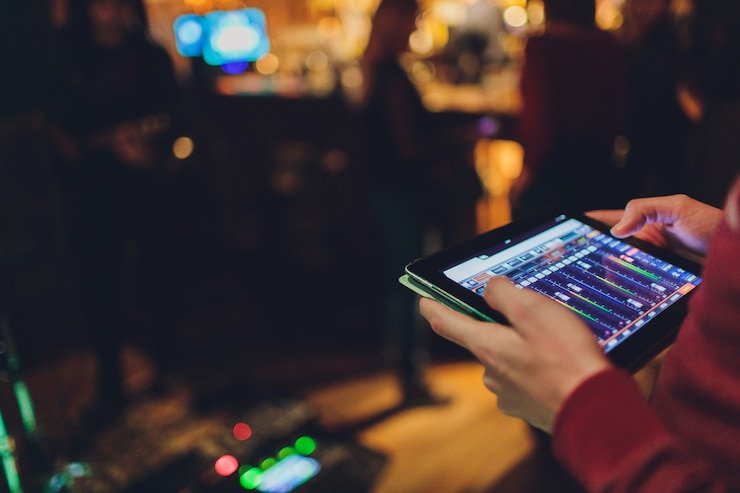
Philippine player checking GCash and binggoplus deposit options on a mobile phone
GCash Deposits Accepted Maya Payments Supported BDO, BPI & Metrobank Fast PHP Withdrawals Secure Transactions No Hidden Conversion Fees GCash Deposits Accepted Maya Payments Supported BDO, BPI & Metrobank Fast PHP Withdrawals Secure Transactions No Hidden Conversion Fees

What Does the binggoplus Finance Section Cover?

The Finance section on binggoplus is the central hub for all money-related activity on your account — from topping up your balance before a sports bet or lottery draw, to requesting a withdrawal after a win. Everything on this page is designed specifically for Philippine players, which means all amounts are displayed in Philippine Pesos (PHP) and all supported payment channels are local ones that Filipinos already use every day. There is no currency conversion step, no international wire transfer required, and no third-party payment processor you have never heard of.

Whether you prefer GCash for instant mobile top-ups, Maya for digital wallet transfers, or a direct bank transfer through BDO, BPI, or Metrobank, binggoplus supports all of these without any extra setup on your end. New players can register a free account here to unlock full access to all deposit and withdrawal options. Existing members can go straight to the login page to manage their balance immediately.

Four Things Every Filipino Player Should Know About Payments on binggoplus

Before your first deposit, here is what makes the Finance section on binggoplus straightforward for Philippine users.

Top Up Instantly via GCash or Maya

GCash and Maya are the two most widely used digital wallets across the Philippines, and binggoplus supports both as deposit channels with near-instant processing times. Whether you are in Metro Manila, Cebu, or a provincial area with limited banking access, these mobile wallet options mean you can fund your account from wherever you have a phone signal. The minimum deposit amount is clearly shown per channel so you always know what to expect before you confirm a transaction. Funds credited via GCash or Maya appear in your binggoplus balance within minutes of a successful transfer, so you can jump straight into your chosen game or draw without delay.

Philippine Bank Transfers for Bigger Top-Ups

For players who prefer online banking or who want to deposit larger amounts in one go, binggoplus supports direct bank transfers from major Philippine banks including BDO, BPI, Metrobank, UnionBank, and Security Bank. These transfers are processed securely through the standard Philippine interbank network, so there is no need to share sensitive account details outside of your own banking app. Bank transfers typically take between a few minutes and a few hours to reflect depending on your bank's processing schedule, and the Finance section shows you current estimated times for each institution. This channel suits players who already use mobile or online banking regularly and want a familiar, trusted method for larger transactions.

Withdrawals Go Back to Your Chosen Channel in PHP

When you win on binggoplus — whether from a sports bet, a lottery draw, or a jackpot game — your prize is credited to your account balance in Philippine Pesos automatically. Requesting a withdrawal is straightforward: you select the amount, choose your preferred channel (the same one you used to deposit, or a verified alternative), and submit the request. The platform processes withdrawals during standard business hours, and the Finance section provides a clear breakdown of expected processing times per channel so you are never left in the dark about when your money arrives. There are no currency conversion fees between your account balance and your withdrawal payout.

All Transactions Are Processed Securely

Every deposit and withdrawal request on binggoplus goes through standard encryption and verification steps to protect your financial information. Account verification is part of the process for withdrawals, which is a normal and important measure that also protects you in case of any unauthorised access. The Finance section explains what documents or verification steps may be needed for your first withdrawal so you can prepare in advance rather than being caught off guard. If you have questions about transaction security or what information is required at any stage, the FAQ section has detailed, plain-English answers written specifically for Philippine players.

Philippine Payment Channels on binggoplus at a Glance

A quick reference for Filipino players comparing the main deposit and withdrawal options available on the platform.

Channel Type Deposit Speed Withdrawal Speed Best For
GCash Digital Wallet Near-instant Minutes to 1 hour Quick mobile top-ups anywhere in PH
Maya Digital Wallet Near-instant Minutes to 1 hour Players already using Maya for daily spending
BDO / BPI Online Bank Transfer Minutes to 3 hours 1–3 business days Larger deposits via trusted Philippine banks
Metrobank / UnionBank Bank Transfer Minutes to 3 hours 1–3 business days Online banking users wanting familiar interfaces
binggoplus Finance page showing deposit steps on a Philippine mobile device

Making Your First Deposit on binggoplus — What to Expect

The deposit process on binggoplus is designed to be as smooth as possible for Philippine players who are used to GCash and mobile banking. After logging in to your account, navigate to the Finance or Wallet section, choose your preferred deposit channel, enter the amount in PHP, and follow the prompts to complete the transfer through your chosen app or banking portal. The minimum deposit amount varies per channel and is always displayed before you confirm, so there are no surprises at checkout.

Once your deposit is confirmed on the payment channel's end, it reflects in your binggoplus balance — usually within minutes for GCash and Maya, and within a few hours for bank transfers depending on interbank processing. From there you can use your balance across the platform: sports betting, lottery draws, jackpot games, and any other section you want to explore. The Finance section also shows your full transaction history so you can keep track of every deposit and withdrawal in one place.

Before placing your first sports bet or lottery entry, it is worth visiting the FAQ page for quick answers about minimum amounts, verification steps, and what to do if a deposit does not reflect within the expected timeframe.

Your binggoplus balance can be used across all these sections — pick the one that interests you most.

Place a Sports Bet

Once your balance is ready, the Sports section is a natural first stop for Filipino players who follow basketball, football, and other live events. Browse current markets, check odds, and place your bets directly from your mobile browser without any additional steps after your deposit clears.

Join the Next Lottery Draw

With a funded account you can immediately participate in any scheduled draw on the Lottery section. Pick your numbers, confirm your entry, and wait for the result — prizes are credited to the same balance you use for all other games on binggoplus, making the whole cycle seamless.

Chase a Progressive Jackpot

For players who want a shot at a larger prize pool, the Jackpot section shows all currently active progressive games with their latest prize totals displayed in PHP. Your funded balance works across jackpot games exactly the same way it does across sports and lottery entries.

Payment Questions Philippine Players Ask Most Often

Straight answers to the deposit and withdrawal queries that Filipino binggoplus users search for regularly.

Depositing via GCash on binggoplus is a quick process that takes just a few taps from your phone. After logging in to your account, go to the Finance or Wallet section, select GCash as your deposit method, enter the amount in Philippine Pesos you want to add, and follow the on-screen instructions to authorise the transfer through your GCash app. The funds usually appear in your binggoplus balance within minutes of the GCash transaction being confirmed. If you do not yet have a binggoplus account, you will need to register for free before your first deposit.

Withdrawal processing times on binggoplus depend on the channel you choose. GCash and Maya withdrawals are typically the fastest, often completing within minutes to an hour after the request is approved. Bank transfers to BDO, BPI, Metrobank, or UnionBank usually take between one and three business days depending on the interbank processing schedule for your specific bank. All estimated times are shown in the Finance section before you submit a withdrawal request so you can plan accordingly. First-time withdrawals may require an account verification step, which is a standard security measure to protect your funds.

Yes — each payment channel on binggoplus has its own minimum deposit amount displayed in Philippine Pesos, and these are shown clearly on the deposit page before you confirm any transaction. GCash and Maya typically have lower minimums that suit casual players looking to start with a modest balance, while bank transfers may have slightly higher minimums that reflect the nature of interbank processing. The Finance section always shows the current minimum for each channel so you can choose the one that best fits what you want to deposit. There are no maximum deposit limits stated here, but very large transactions may trigger standard verification checks.

In most cases, binggoplus requires that your first withdrawal goes back to the same channel you used for your initial deposit — this is a standard anti-fraud measure used across Philippine online platforms and is not unique to binggoplus. Once your account is verified and your transaction history is established, you may be able to add alternative withdrawal channels through the account settings area. The full details of which channels can be used for withdrawals and whether switching is possible are covered in the FAQ section, which has dedicated answers to this specific question for Philippine players.

binggoplus does not charge conversion fees since all transactions are processed entirely in Philippine Pesos from start to finish. Platform-level deposit fees for most channels are also not applied on the binggoplus side, though your own bank or digital wallet provider may charge small processing fees on their end as part of their own fee structure — these are outside of binggoplus's control. Before confirming any deposit or withdrawal, the Finance section clearly shows what, if any, fees apply on the platform side so you can make an informed decision. For the most up-to-date information on fees per channel, check the Finance section after logging in to your account.

Ready to Fund Your Account and Start Playing?

binggoplus Finance supports GCash, Maya, and major Philippine bank transfers — all in PHP with no conversion fees. Create your free account now or log in to manage your balance and start exploring sports, lottery, and jackpot games right away.